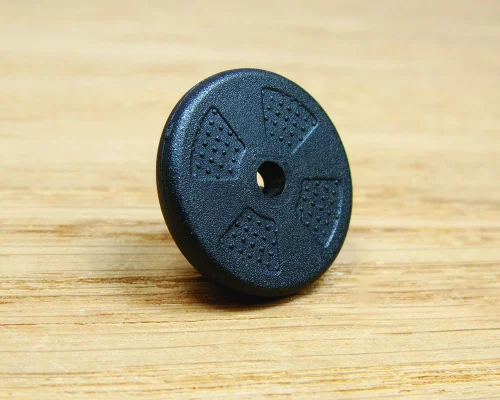
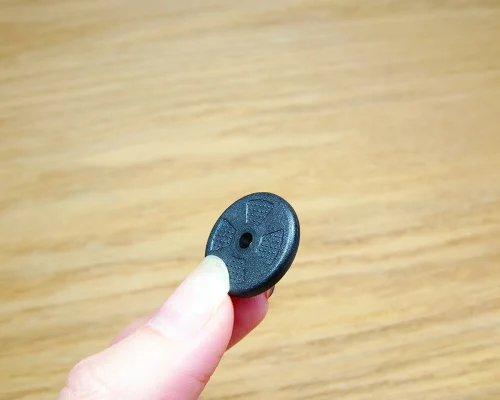
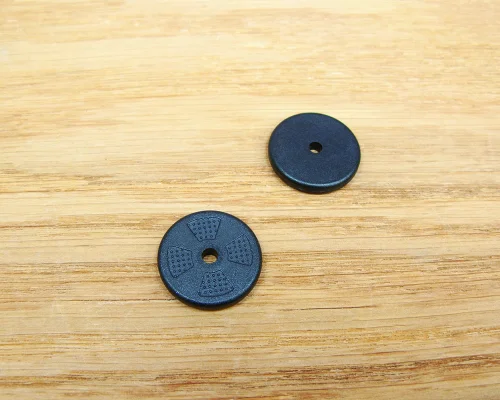
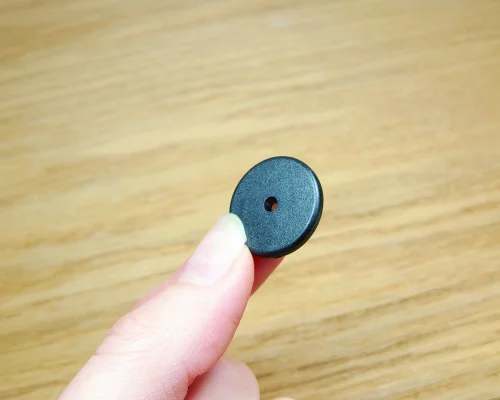
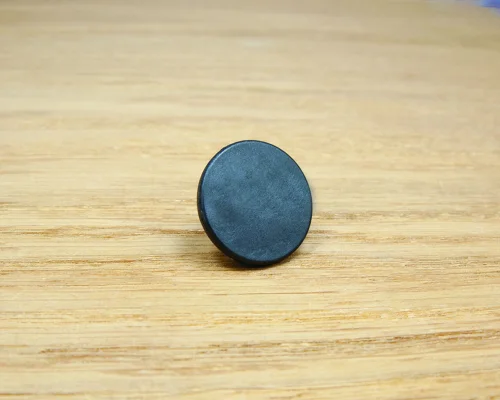
- 20mm diameter and compatible with metal surfaces
- Integrated hole for seamless attachment
- Specialised chip options available
Manufactured from high-performance PPS engineering plastic, the tag is fully waterproof to IP68 and engineered to withstand harsh environments. It operates from -25 to +85°C and can withstand long-term exposure from -40 to +120°C, providing dependable performance across a wide range of industrial and commercial applications.
Designed for use on metal, the tag provides reliable NFC performance when attached to metallic surfaces. A range of NFC chip options is available, including authentication-ready chips for brands requiring secure product verification and anti-counterfeit protection.
Advanced authentication features require specialist encoding and verification software. Ixkio tag management users can encode tags using the Ixkio mobile app for both redirect and API applications, with full authentication support.
Normal NFC tags do not work when placed directly onto metal surfaces. Therefore, when using NFC tags on metal you either need to create a gap of at least 0.5 cm between the tag and the metal or you can use a special tag - called an 'on-metal' tag - which has an additional ferrite barrier material between the NFC tag and the adhesive.
On-metal tags will work on both metal and non-metal surfaces. However, on-metal tag scan distances always tend to be slightly less than standard NFC tags so unless you need tags that will (or might) go on metal, we would strongly recommend that you go with standard tags.
For more information and details of how on-metal tags compare with normal tags, read our on-metal NFC tag guide.
Encoding Yourself
You can encode your tags with a smartphone and it's quick and easy.
1. Download the Seritag Encoder app - it's free for both iPhone and Android users
2. Open the app and tap 'Encode', then add your URL
3. Tap 'Encode'
4. Hold your phone over the tag, and your tag will encode. That's it !
For more information, have a look at our How to encode tags with an iPhone and How to encode tags with an Android phone pages.
Encoding by Seritag
Seritag have fast and accurate encoding services when you need a large number of tags encoded or you want to be absolutely sure that the encoding is handled correctly.
For full information on how to order your NFC tags encoded by Seritag, read our Ordering NFC Tags with Encoding advice page.
Encoding for Ixkio or TapStart
If you are using our Ixkio NFC tag management platform, then you can select 'Encode for ixkio' as the encoding option and we will encode to work with your ixkio account. You need to send us an email with the Folder and Tag Group where you want your tags created.
If you would like to use our free TapStart dynamic link system, then select 'TapStart Encoding'. We will provide your unique PIN code when we send your tags. (TapStart is not available on all products)
What is tag management ?
NFC tag management allows you to dynamically control the destination URL or landing page of your NFC tags. It provides tracking and stats, authentication services for anti-counterfiet tags, and a host of features to assist in getting the right tags in the right locations or products. Ixkio even allows you to encode your own NTAG213, iCODE or NTAG424 tags with our mobile App.
Using ixkio
Ixkio can be used as either a redirect platform where tags are scanned and then redirected via ixkio to your landing pages, or as a Direct Response platform, where ixkio delivers the landing page.
It's powerful, flexible software that provides a host of features to enable simple and dynamic management of your NFC tags.
Getting started
Find out more about our ixkio NFC tag management platform or contact us for more information.
A quick guide
A normal NFC chip, such as the NTAG213, NTAG215 or iCODE SLIX can store a URL (web link) in it's memory. When scanned, it presents this link to the scanner (a mobile phone for example). It presents the same link every time, in a similar way to a QR Code.
An authentication NFC chip, such as the NTAG424, works differently. When the URL is encoded onto the tag, a secret key is also encoded, along with some other settings. When the tag is scanned, it presents the URL but also a unique code which is generated using this secret key. This unique code changes on every scan and can be verified using an authentication server which will hold the same secret key.
Note that the full name for the NTAG424 chip is the NTAG424 DNA. We usually just refer to it as the NTAG424 chip.
Using authentication chips
As this code is unique for each scan, these NTAG424 NFC tags can be used for anti-counterfeit and authentication. It makes them extremely powerful as they can be used to ensure that the tag is the exact tag that you expect it to be. All from a simple scan with a mobile phone (no special app required).
Authentication chips have a huge range of use cases from the obvious protection of luxury goods, artwork and pharmacuiticals to supply chain security, document authentication, ticketing, proof of physical presence, secure log-on and more.
Encoding authentication chips
While standard NFC tags can be easily encoded with any of the free mobile phone applications, encoding NTAG424 chips is substantially more complicated. You have four choices :
- Use NXP's TagXplorer desktop software to encode the tags (note that NXP no longer support this software but at the time of writing it was still available to download)
- Build your own encoding system.
- Get Seritag to encode your tags for you
- Use our Ixkio Tag Management platform and encode with our ixkio mobile app.
More information
For more information on buying and using NTAG424 or other authentication chips, contact us or read more about NFC tag authentication.
Pricing
Seritag Product Code : ST1300
| Price per tag : | |
| 250 - 499 | £0.93 |
| 500 - 999 | £0.68 |
| 1,000 - 1,999 | £0.56 |
| 2,000 - 4,999 | £0.49 |
| 5,000 - 9,999 | £0.45 |
| 10,000 - 19,999 | £0.44 |
| 20,000 + | Contact Us |
| (price excludes VAT)Show prices with VAT |
(excludes VAT)
Product Data
| NFC Chip | Various |
| Interface Specification | Various |
| Total Memory | Various |
| Data Retention | Various |
| Metal Surfaces (?) | Yes |
| Unique Print (?) | Not Available |
| Real ScanStrength (?) | 31mm - 40mm |
| On-Metal ScanStrength (?) | 21mm - 25mm |
| Printing Option | Laser etched ID |
| Thickness | 2.9 mm |
| Adhesive | Optional |
| Construction Material | PPS High Performance Plastic |
| Weather Resistance | High |
| Operating Temperature | -25C to +85C |
| IP Rating | IP68 |
| Water Rating | Waterproof |
| Availability | Special Order |
| Delivery Format | Single Units |

- Email: mail@seritag.com
- Tel: + 44 (0) 20 3773 2791