- Shop
- NFC Garment Tags
- NFC Iron-On Fold Patch NTAG213
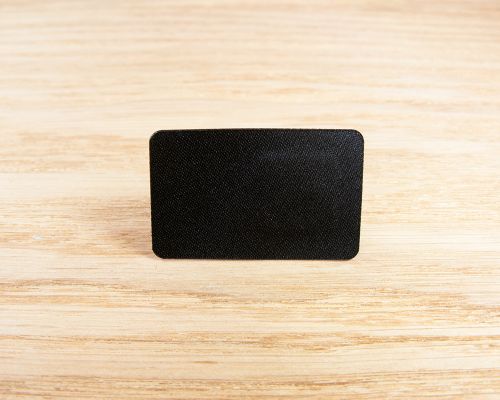
NFC Iron-On Fold Patch NTAG213
- Enhanced customer experience through integrated authentication NFC
- Select your own design with full custom print availability
- Effortlessly adheres using either a heat press or a regular household iron
For domestic irons and professional press, we consider 120 degree C, 6- 8 seconds..
Help and Advice
Firstly, if you have any questions about ordering custom printed products, then drop us an email or give us a call. We have worked on hundreds of custom print projects and we are always happy to give help and advice. If you don't see the product you need, just let us know what you want.
Artwork Preparation
We have prepared a artwork preparation pdf for guidance on how to prepare your artwork for full colour tags. In summary, you need to make sure your artwork is good quality which means either vector artwork or a image of high resolution. If you don't have the experience or software to set your artwork, just email us what you have any any layout ideas you have. We can always help.
Sizes and Outlines
For many products online there's also a template that you can download which will give you the size to work to. For others where there might be multiple sizes such as express labels, you can create your own outline (say 35mm round) or just ask us for a template of the size you need.
The Process
If you are sure of your size and product, you can order online here and email us your artwork with your order reference number. If you aren't sure or want a proof first, then send us your artwork before you place the order. We can then check it's all good before you go forward.
Once we have your artwork, we will typically produce a pdf proof to show you how the tags will look. This usually only take 24 hours but often you will get this back in the same day. You can then make sure you are happy with what we are going to print and we go to production.
Unique ID/QR Code Elements
A unique element is something that is printed unique to each tag. For example, each tag might have it's own ID number and/or QR code. In these cases, you would prepare your artwork with an example QR/ID to show us the layout. We then remove this and use your data. You don't need to generate the QR codes - we do that automatically. You just supply a spreadsheet to us with the list of ID/QR Code data and we use that.
Seritag stock and can supply a wide range of tags for smart clothing, garments, shoes and other wearables. We have extensive experience and are always happy to provide help and advice. A few things to consider :
Durability
Generally, the choice is between a 'garment spec' label and a hard disc tag.
Seritag created the term Garment Specification tags to define strengthened labels which are typically designed for up to 100 domestic washes. Our tags are either tested using thermal and humidity cycling or testing to the ISO6330 international standard for textile washing. They are slightly flexible.
Hard disc tags are rigid PPS plastic tags typically from 20mm to 25mm in size.
Our general advice is that if your project should not have any failed tags under any circumstances, you need to use a hard disc tag. If you don't expect the garment to be washed (collectables) or washed infrequently, you expect the tags only to be scanned early in their life and/or an occasional failure later in the garment's life is acceptable - use a Garment Spec label.
Attachment
Most garment tags - both disc and label - would be attached behind a sew-on or iron-on label. Sew-on is typically the best choice for all tags but almost always for rigid disc tags.
We can also supply sew-on disc tags which look like buttons and can be directly applied. We aren't keen on these as the central holes can restrict chip and antenna design and can often lead to a tag that can be difficult to scan.
We usually stock some direct iron-on garment tags which can be ideal for placing tags during manufacture or for shorter term direct use. Generally, for longer use, direct iron-on tags should be placed behind a second iron-on or sew-on patch to keep them secure.
Logistics
One bit of advice we always give - start simple and grow. The logistics of adding NFC tags to clothing can get complicated quickly - as most factories aren't used to using smart labels. While it might be the goal for unique tags in every product line, size and colour - it might not be best to try and do that from day one.
Keep it generic, keep it simple. The grow.
Management
Seritag offer our groundbreaking ixkio tag management platform for deployment and post-installation management of both standard and authentication NFC tags. Whether you need to create dynamic NFC tags so you can modify the links later or full featured authentication for anti-counterfeit, our software has all the features you are likely to need.
More Information
To help you get started with creating clothing NFC, we've put together an Ultimate Guide to NFC Clothing.
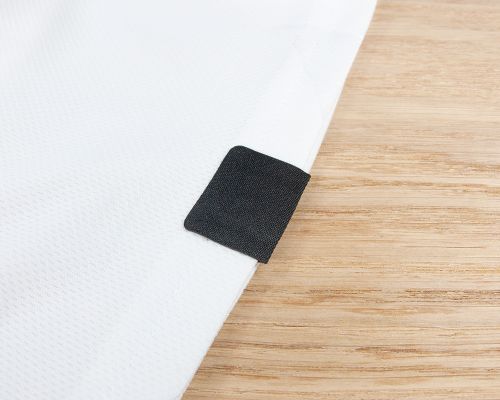
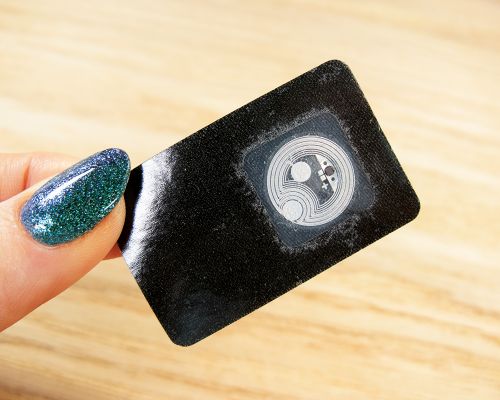
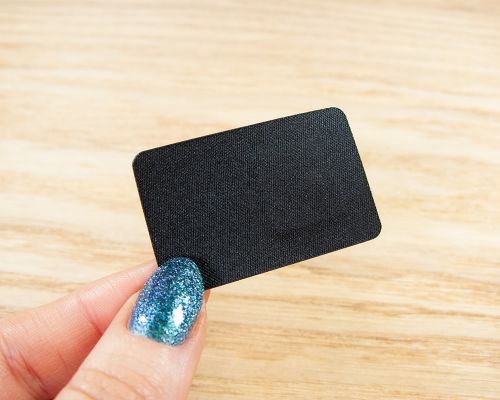
The iron-on sample patch is designed to help you test and develop. The patch does not contain an NFC tag. This is how you use it :
- Apply a Garment Spec tag to the centre of the back of the iron-on patch
- Place the iron-on patch onto your garment
- Using a iron set at 'cotton' gently press the iron-on patch to the garment just until the patch holds
- Turn the garment inside out and now iron with some pressure from the back to the patch for 10-15 seconds
This should fix the iron-on patch in place.
Note that iron-on garment patches (and irons, clothing, etc) vary. We recommend testing first at low heat for short periods particularly on non-cotton fabrics.
This patch is for testing and development purposes only. We don't recommend using this patch in a final product !
Upload your graphics/artwork now or contact us after you have placed the order. We will quickly generate a pdf proof for you to check before we go to print.
Pricing
Seritag Product Code : ST1052
Current Stock : 0 (need more?)We can typically supply additional stock of this product within 8 weeks. However, we very strongly advise you to contact us for exact production schedules for non-stock items before ordering.
Note: We are currently out of stock on this product. Please contact us regarding restock dates. Our apologies.
| Price per Patch : | |
| 500 - 999 | $1.85 |
| 1,000 - 1,999 | $1.81 |
| 2,000 - 4,999 | $1.75 |
| 5,000 - 9,999 | $1.64 |
| 10,000 + | Contact Us |
| (price excludes VAT)Show prices with VAT |
Sorry, this product cannot currently be purchased online.
Please contact us for availability.
(excludes VAT)
Product Data
| NFC Chip | Genuine NXP NTAG213 |
| Interface Specification | ISO 14443A / 13.56 MHz |
| Total Memory | 144 Bytes |
| Data Retention | 10 years (estimated) |
| Metal Surfaces (?) | Not suitable |
| Unique Print (?) | ID & QR Print Available |
| Real ScanStrength (?) | |
| Size | 35mm |
| Adhesive | Iron-on |
| Weather Resistance | Very High |
| Temperature Limits | 120C 72 hours / 150C 4 hours |
| Delivery Format | Single Units |

- Email: mail@seritag.com
- Tel: + 44 (0) 20 3773 2791