- Shop
- Church NFC Tags
- Custom Print Church NFC Plate
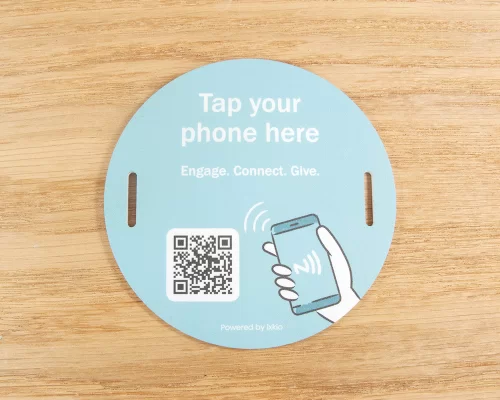
Custom Print Church NFC Plate
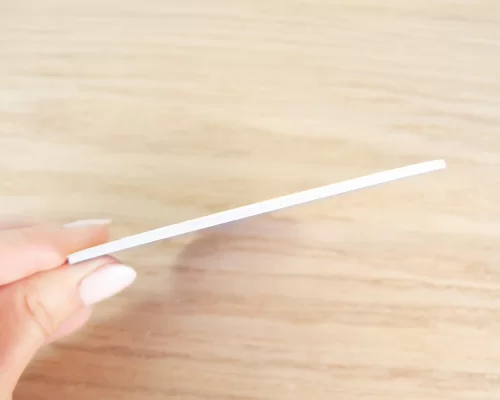
- 1.9mm thick - tough and durable. Ideal for screw fixing to flat surfaces.
- Fully customizable, personalise the church tag to suit your branding
- Increase community engagement and donations
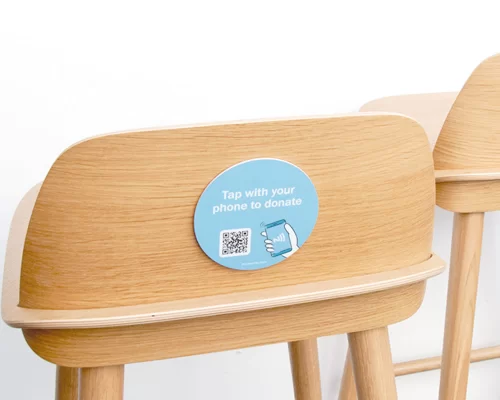
With just a simple tap of a phone, you can warmly welcome new visitors, easily access a donation page, or highlight upcoming events. This innovative technology not only fosters a stronger sense of community but has also been proven to increase donations.
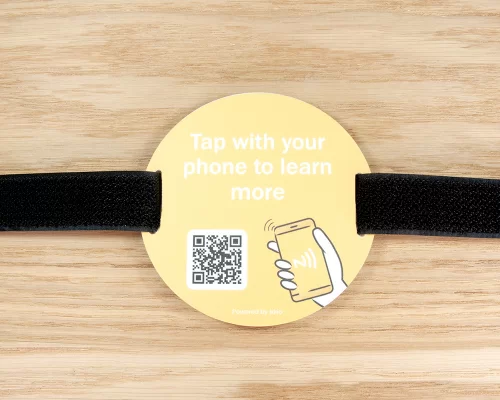
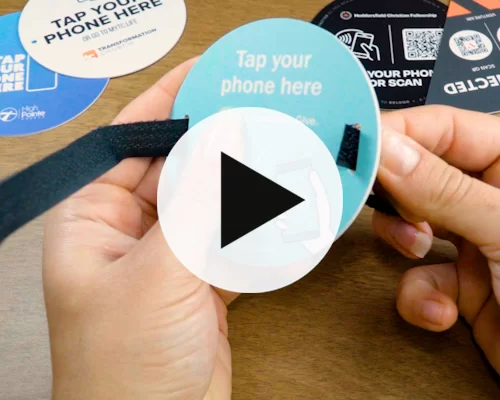
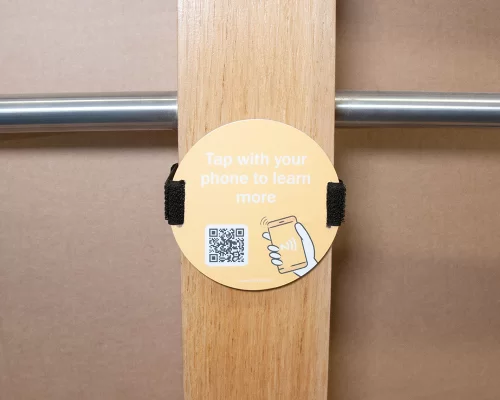
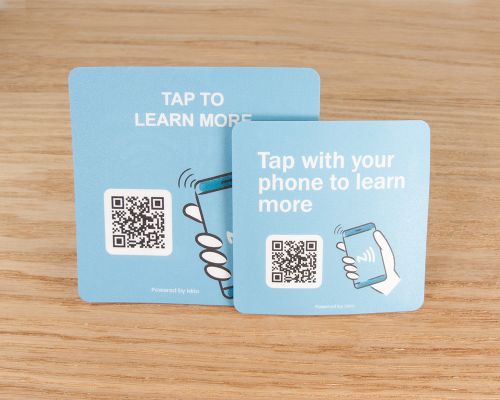
This product is 1.9mm thick, available in both round and square (or custom) shapes, and comes with various attachments. Choose from 60mm, 80mm or 100mm sizes. Available with slots or screw holes. The slots are designed for use with straps for removable use.

Adhesives
We offer this product with a broad range of adhesive types to cater for a wide range of surfaces. If you aren't sure which is best for you, read through the 'Selecting Church Tag Adhesive' information below - or get in touch.Design Options
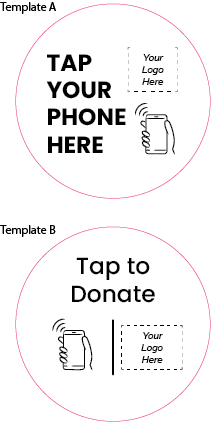
These tags are custom printed for you. You can either :1. Upload your own artwork now (or send it later), or
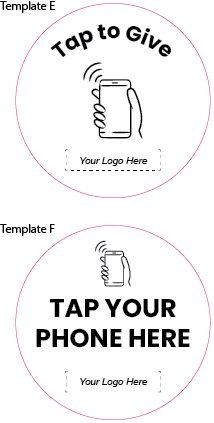
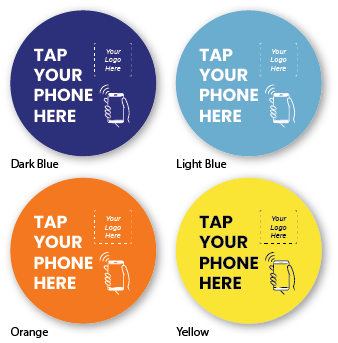
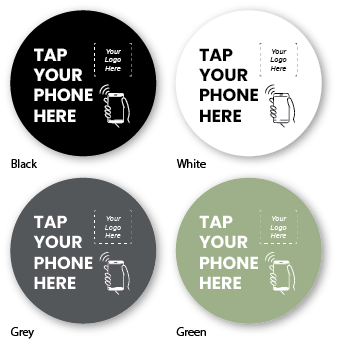
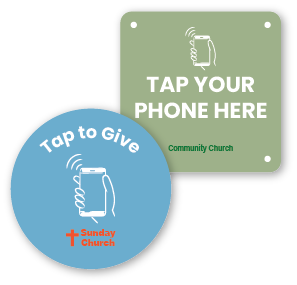
2. Use one of our preset template designs with or without your Church logo.
Step 1 : Choose the layout design.
Step 2 : Choose your preferred colour.
Step 3 : Choose your preferred text.
Step 4 : Optionally, upload your logo.
We will create a pdf proof for you to review before we print and you can advise of changes/tweaks.
Help and Advice
Firstly, if you have any questions about ordering custom printed products, then drop us an email or give us a call. We have worked on hundreds of custom print projects and we are always happy to give help and advice. If you don't see the product you need, just let us know what you want.
Artwork Preparation
We have prepared a artwork preparation pdf for guidance on how to prepare your artwork for full colour tags. In summary, you need to make sure your artwork is good quality which means either vector artwork or a image of high resolution. If you don't have the experience or software to set your artwork, just email us what you have any any layout ideas you have. We can always help.
Sizes and Outlines
For many products online there's also a template that you can download which will give you the size to work to. For others where there might be multiple sizes such as express labels, you can create your own outline (say 35mm round) or just ask us for a template of the size you need.
The Process
If you are sure of your size and product, you can order online here and email us your artwork with your order reference number. If you aren't sure or want a proof first, then send us your artwork before you place the order. We can then check it's all good before you go forward.
Once we have your artwork, we will typically produce a pdf proof to show you how the tags will look. This usually only take 24 hours but often you will get this back in the same day. You can then make sure you are happy with what we are going to print and we go to production.
Unique ID/QR Code Elements
A unique element is something that is printed unique to each tag. For example, each tag might have it's own ID number and/or QR code. In these cases, you would prepare your artwork with an example QR/ID to show us the layout. We then remove this and use your data. You don't need to generate the QR codes - we do that automatically. You just supply a spreadsheet to us with the list of ID/QR Code data and we use that.
Encoding Yourself
You can encode your tags with a smartphone and it's quick and easy.
1. Download the Seritag Encoder app - it's free for both iPhone and Android users
2. Open the app and tap 'Encode', then add your URL
3. Tap 'Encode'
4. Hold your phone over the tag, and your tag will encode. That's it !
For more information, have a look at our How to encode tags with an iPhone and How to encode tags with an Android phone pages.
Encoding by Seritag
Seritag have fast and accurate encoding services when you need a large number of tags encoded or you want to be absolutely sure that the encoding is handled correctly.
For full information on how to order your NFC tags encoded by Seritag, read our Ordering NFC Tags with Encoding advice page.
Encoding for Ixkio or TapStart
If you are using our Ixkio NFC tag management platform, then you can select 'Encode for ixkio' as the encoding option and we will encode to work with your ixkio account. You need to send us an email with the Folder and Tag Group where you want your tags created.
If you would like to use our free TapStart dynamic link system, then select 'TapStart Encoding'. We will provide your unique PIN code when we send your tags. (TapStart is not available on all products)
Choosing the right adhesive for your tags is critical to making sure they stay in place, which is why Seritag offers a selection of adhesive types. Our Church Sample Pack contains all five options for you to test.
Rule No. 1: Always clean the surface first.
Remove any grease, wax, polish or cleaning-product residue before applying the tag.
Rule No. 2: Apply firm pressure.
Press and rub the tag firmly into place. This is especially important on fabrics and textured surfaces, where the adhesive needs to make good contact with the surface.
Rule No. 3: Allow the adhesive time to bond.
After applying the tag, leave it in place for at least 24 hours before testing the adhesion or trying to remove it.
Choosing the right adhesive - the short version
467MP - Smooth surfaces
Best for smooth metal and hard plastics such as ABS, acrylic and polycarbonate.
468MP - Slightly textured hard surfaces
Best for slightly textured or uneven hard surfaces, including plastics, painted surfaces and varnished wood.
300LSE - Difficult plastics
Best for polypropylene (PP), polyethylene (PE) and other low-surface-energy plastics that ordinary adhesives can struggle to stick to.
If you are applying a tag to a plastic chair and you are not sure what the plastic is, a slightly waxy or slippery feel can indicate PP or PE. In that case, 300LSE is usually the safest choice.
300MP / 9832 - Fabric, felt and foam
Best for softer materials such as fabric, felt and foam, particularly where the surface is relatively flat or the material benefits from a more stable, supported adhesive.
9080 - High-tack general-purpose adhesive
Best for upholstery, heavy-weave fabrics, wood and other coarse or irregular surfaces. Has a high initial tack and more conformable for better contact with uneven or deeply textured surfaces.
Choosing adhesives - the really short version
For difficult plastics such as polypropylene or polyethylene, choose 300LSE.
For fabric and upholstery, both 9080 and 300MP are good choices. If in doubt, we generally recommend 300MP but testing is preferable.
Upload your graphics/artwork now or contact us after you have placed the order. We will quickly generate a pdf proof for you to check before we go to print.
Pricing
Seritag Product Code : ST1217
| Price per tag : | |
| 50 - 99 | £5.55 |
| 100 - 199 | £3.48 |
| 200 - 349 | £2.45 |
| 350 - 499 | £2.00 |
| 500 - 999 | £1.83 |
| 1,000 - 1,999 | £1.62 |
| 2,000 - 3,499 | £1.52 |
| 3,500 - 4,999 | £1.47 |
| 5,000 - 9,999 | £1.45 |
| 10,000 - 19,999 | £1.43 |
| 20,000 + | Contact Us |
| (price excludes VAT)Show prices with VAT |
(excludes VAT)
Product Data
| NFC Chip | Genuine NXP NTAG213 |
| Interface Specification | ISO 14443A / 13.56 MHz |
| Total Memory | 144 Bytes |
| Data Retention | 10 years (estimated) |
| Metal Surfaces (?) | Not suitable |
| Unique Print (?) | Not Available |
| Strap width | 5cm |
| Real ScanStrength (?) | 61mm - 70mm |
| Hole Size | 3 mm |
| Thickness | 1.90 mm |
| Adhesive | Optional |
| Face Material | PVC |
| Construction Material | PVC |
| Antenna Type | Copper Coil |
| Weather Resistance | Medium |
| Availability | Special Order |
| Delivery Format | Single Units |

- Email: mail@seritag.com
- Tel: + 44 (0) 20 3773 2791