1. ShopShop ▾
  2. Custom Print NFC Review Products
  3. Custom Review Stand Small
Custom Print Special Order

Custom Review Stand Small

  • Fully customisable with bright print
  • Integrated NFC tag for performance and durability
  • Small, compact and space-saving
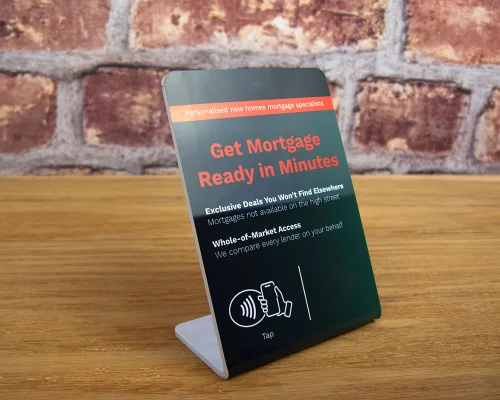
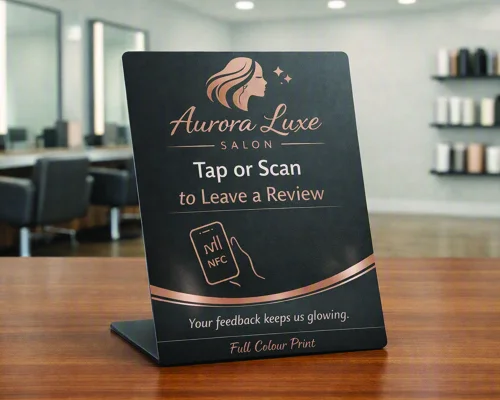
Collect more reviews at the point of sale with our Small NFC Review Stand. Designed for businesses that want a compact, professional and functional way to encourage customer reviews; this space-saving NFC review stand, measuring 11.4cm high, 8cm wide and 4.2cm deep, fits neatly on counters, tables and reception desks without taking up valuable space.

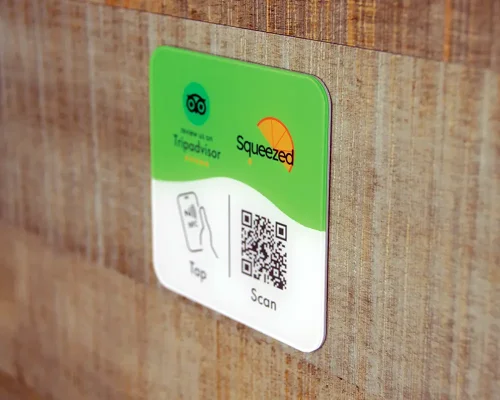
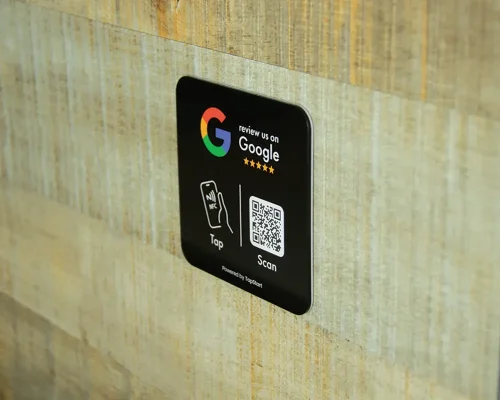
Small in size, big on results, this premium-quality, full coloured printed NFC stand uses fully integrated NFC technology to make collecting reviews quick and effortless. Customers simply tap their NFC-enabled smartphone on the stand to instantly access your review page, helping you generate more customer feedback, strengthen your online presence and improve your search visibility.

Made for everyday business use, the stand is waterproof, durable and resistant to wear and tear. Inside is a genuine NXP NFC chip, providing reliable performance and easy scanning with current NFC-enabled smartphones.

Every NFC review stand is fully customizable, allowing you to upload your own full-colour artwork, branding and logo.

Ordering Custom Printed Tags

Help and Advice

Firstly, if you have any questions about ordering custom printed products, then drop us an email or give us a call. We have worked on hundreds of custom print projects and we are always happy to give help and advice. If you don't see the product you need, just let us know what you want. 

Artwork Preparation

We have prepared a artwork preparation pdf for guidance on how to prepare your artwork for full colour tags. In summary, you need to make sure your artwork is good quality which means either vector artwork or a image of high resolution. If you don't have the experience or software to set your artwork, just email us what you have any any layout ideas you have. We can always help. 

Sizes and Outlines

For many products online there's also a template that you can download which will give you the size to work to. For others where there might be multiple sizes such as express labels, you can create your own outline (say 35mm round) or just ask us for a template of the size you need. 

The Process

If you are sure of your size and product, you can order online here and email us your artwork with your order reference number. If you aren't sure or want a proof first, then send us your artwork before you place the order. We can then check it's all good before you go forward. 

Once we have your artwork, we will typically produce a pdf proof to show you how the tags will look. This usually only take 24 hours but often you will get this back in the same day. You can then make sure you are happy with what we are going to print and we go to production. 

Unique ID/QR Code Elements

A unique element is something that is printed unique to each tag. For example, each tag might have it's own ID number and/or QR code. In these cases, you would prepare your artwork with an example QR/ID to show us the layout. We then remove this and use your data. You don't need to generate the QR codes - we do that automatically. You just supply a spreadsheet to us with the list of ID/QR Code data and we use that. 

Encoding Options for Review Products

Encoding Choices

We can provide this review product with a variety of encoding (programming) options : 


Not Encoded

You can write your own weblink onto the wristband using an NFC encoder mobile app. We recommend our free Seritag Encoder app. 


Encoded : Password Protected

Provide your review link (how to find your Google Review link) and we can encode free of charge for you. We will password protect the data so it can be changed with the Seritag Encoder app but only with a password we provide to you. 

Encoded : TapStart Dynamic Links

Using the TapStart plan powered by our powerful ixkio platform, you can remotely change the review destination and name and then monitor the scans of each individual product. Ideal for larger orders where you might want to track scan performance across a group. Includes first year subscription.  

This is a Special Order product which we will manufacture specifically for you. Current production time is estimated at 3 weeks.
Custom Print
Upload your graphics/artwork now or contact us after you have placed the order. We will quickly generate a pdf proof for you to check before we go to print.

Pricing

Seritag Product Code : ST1304

Price per stand : 
25 - 49£7.70
50 - 99£5.38
100 - 249£4.25
250 - 499£3.48
500 - 999£2.55
1,000 - 4,999£2.28
5,000 - 9,999£1.93
10,000 +Contact Us
(price excludes VAT)Show prices with VAT 
Max 8 MB per file - Allowed: images, pdf
Drop files here
Design Not Saved
Edit
(You can encode the tags yourself)
Total Cost :
£-

(excludes VAT)


Product Data

NFC Chip Genuine NXP NTAG213
Interface Specification ISO 14443A / 13.56 MHz
Total Memory 144 Bytes
Data Retention 10 years (estimated)
Metal Surfaces (?)Not suitable
Unique Print (?)Not Available
Adhesive No
Availability Special Order
Delivery Format Single Units
Seritag
Contact
©Copyright 2026 Seritag.
Seritag is a trading name of TabDesk Ltd, a UK Registered company 10474154. VAT Registration Number GB256328005.
☰ Seritag
£
×

Ordering Tags with Custom Print

Seritag have worked on thousands of custom print NFC projects. We will always provide recommendations and advice if we think your tags won't look great !

Creating artwork

We prefer high resolution images or vector format artwork. To help you get started, you can download our artwork guide. If you don't have access to artwork software, many of our users just use canva. And we are always here to help !

Providing artwork

You can upload artwork files here with your order, or place your order now and contact us to send files or for advice.

Production process

Once we have your artwork, we check it over and provide you on email with a pdf 'proof'. This is a visual of exactly what we will print. You can then confirm and we go to production.

×

Encoding Options

Encode Yourself

Encode your review product link yourself. Download our free Seritag NFC Encoder app, enter your review URL and away you go. Remember to lock or password protect your tags before you put them in public.

Encode & Password Protect

We will encode your review product with your review link and then password protect the encoding. Your password will be sent to you with your product. You can then change the link in the future using our Seritag NFC Encoder app.

The TapStart plan, powered by our ixkio tag management platform, allows you to dynamically change your review link whenever you want, create a custom multi-link landing page (if you have multiple review platforms) and track tap statistics per product.

TapStart is a subscription service and you can register online.

×

UID Scan Explained

What is a UID ?

Every genuine NFC chip (we only sell genuine chips) contains a fixed 'serial number' in it's memory. This is unique and defined by the chip manufacturer which, in most cases, is NXP. It's called the Unique ID or UID and on genuine chips, it can't be changed.

What is a UID Scan ?

Some software, typically asset management applications, uses this unique UID to identify the tag. In these cases, we can provide the list of the supplied tag UIDs as a spreadsheet so you know what they are. This is a UID scan.

Do you need a UID scan ?

Unless you are using this type of software and it specifically needs it - no.

How can you find/read the UID of a tag ?

You can't see the UID just by scanning/reading a tag. You need to use an app. To see your tag's UID, download our Seritag NFC Encoder app and use the read function.

×

ID Print Explained

What is an ID Print ?

It's where we visually print a unique ID, number, QR code and/or text onto each custom printed NFC tag.

The purpose of ID Print

If you have uniquely encoded NFC tags then a visual ID or matching QR code can be printed to align with the encoding. This can help identification and deployment.

Ordering colour printed tags with ID/QR code print

If you are ordering with custom full colour artwork, then add the first ID and/or QR code onto the artwork. We then dynamically swap this out when printing. Upload your ID print/QR sequence with your encoding data. See our ID Print guide for details on creating the spreadsheet.

Ordering ID Express white labels with simple black ID/QR code print

In most cases, you don't need to provide a layout. Just upload your encoding data (see our ID Print guide). We will send a pdf proof on the layout so you can check.

Multiple ID/QR code printing

You can have one or two unique IDs, a QR code or a mix. If you have more complex requirements with a larger number of unique elements, contact us first.

×

Encoding

Encoding is the action of writing data onto the NFC tag, for example a URL/weblink or some text.

Option 1 : Encode yourself

It's easy to encode small quantities of NFC tags yourself. Download the Seritag NFC Encoder app, enter a URL and hold over the tag. Note: you can't encode authentication grade NTAG424 chips with normal mobile apps.

Option 2 : Seritag encoding

We have developed and built some of the most advanced encoding machines in the industry. For larger orders or where you prefer to leave encoding to us, choose Seritag encoding. You can upload/enter encoding data with your order, or send it through to us later with your order reference.

Single or Variable encoding

Single encoding is where every tag is encoded with the same data. Variable encoding is where we encode different data onto each tag, for example a sequence or unique codes. We can also encode in batches - where a set number of tags are encoded with each data, etc. See our in-depth guide to ordering NFC tags with encoding.

Locked, Unlocked or Password Protected ?

For standard chips (NTAG213, 215, ICODE), if we lock your tags, then nobody (even us) can change the data. If the tags are unlocked then anyone with a phone can change the data (and then lock them). In some cases, we also offer password protection where the data is locked - and can be changed - with a password.

In short: if you are using the tags personally or within your company, you might choose to leave unlocked. If they in public - lock them !

Encode for Ixkio

If you are using our ixkio tag management platform, then we can encode both standard (NTAG213, 215, ICODE) tags and authentication (NTAG424) tags direct to the platform.